
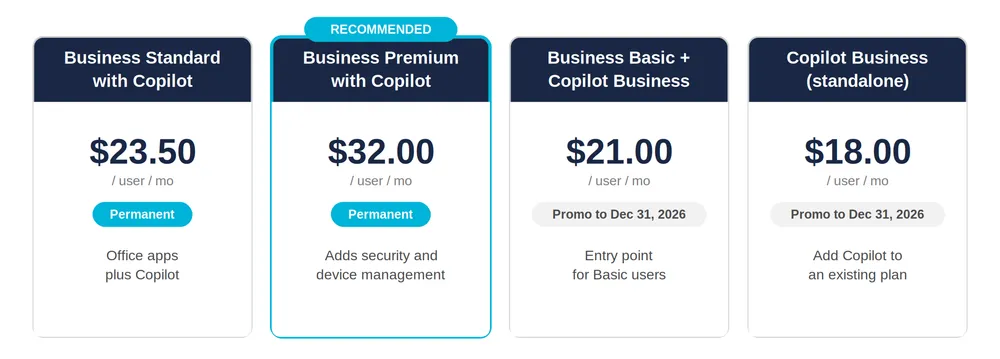
On July 1, Microsoft stopped treating Copilot as an add-on you get around to later and started selling it as part of Microsoft 365 itself. Two bundles that used to be limited-time promotions are now permanent products. If you run a small or mid-sized business, the question you get asked at renewal just changed from "do you want to add Copilot" to "which plan do you want."
That sounds like a pricing story. It isn't, really. The price is the easy part.
The part worth your attention is what happens the second you switch Copilot on. It can see everything the person using it can see, and most businesses have not looked closely at what that includes in a long time. So before you pick a plan, it helps to understand what actually changed, what it costs, and the one step that belongs before any of it.
What changed on July 1
The two Copilot bundles are now standing SKUs instead of promotions, which means a stable price you can budget around instead of a countdown to a promo expiring.
| Plan | Price per user / month | Worth knowing |
|---|---|---|
| Business Standard with Copilot | $23.50 | Permanent. Annual price; monthly billing adds about 5 percent. Office apps plus Copilot. |
| Business Premium with Copilot | $32.00 | Permanent. Adds identity, device, and data protection on top of Copilot. |
| Business Basic + Copilot Business | $21.00 | A 25 percent promo, annual billing, through December 31, 2026. A lighter entry point. |
| Copilot Business (standalone add-on) | $18.00 | A 15 percent promo, annual billing, through December 31, 2026. Adds Copilot to a plan you already have. |
A couple of things are easy to miss in that table. The two permanent plans sit below what the same apps, AI, and security used to cost when you bought the pieces separately, so the bundle is the better deal for most teams. The two promotional entry points, though, do have a deadline. They close on December 31, 2026. If a cheaper first step makes sense for part of your team, that decision has a clock on it.
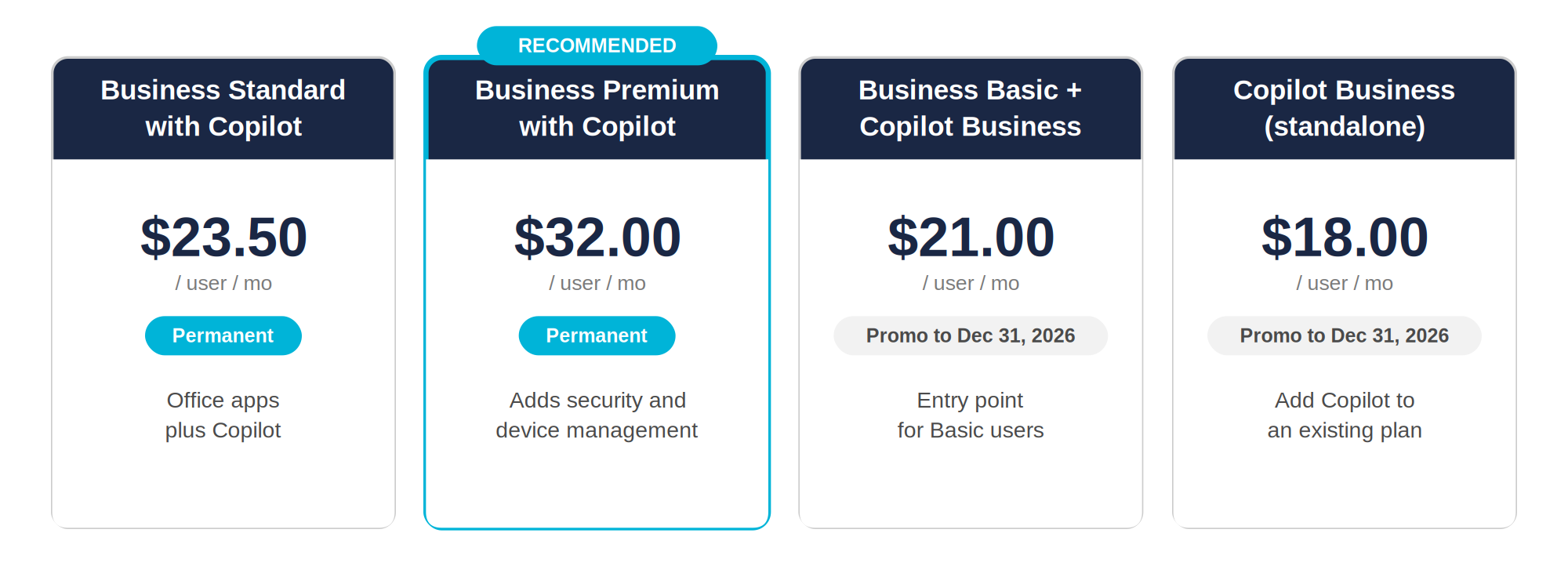
For most businesses, Business Premium with Copilot is the plan that holds together. The moment you give AI reach across your files, email, and chat, identity and data protection stop being optional, and Premium already carries a baseline of those controls. More on that below, because it is also where the honest budgeting happens.
Why businesses are actually moving on this
The productivity gains are showing up in Microsoft's own numbers. In the 2026 Work Trend Index, 58 percent of AI users said they are producing work they could not have a year ago, and 66 percent said they are spending more time on higher-value work because AI is handling the execution.
The number that tells the real story, though. Microsoft has roughly 450 million commercial Microsoft 365 users and only about 15 million paid Copilot seats. That is a little over three percent. Most businesses have either passed on Copilot or bought it and left it sitting untouched.
So the advantage right now is not being first. It is being deliberate while almost everyone else is still deciding.
The part that doesn't make it onto the sales slide
Copilot inherits your existing permissions. That is a strength and a trap at the same time.
If your SharePoint and OneDrive sharing is clean, Copilot respects those boundaries exactly. If it is not, Copilot becomes a very fast, very willing way for people to find things they were never supposed to reach. Ask it a question, and it will happily pull from that folder someone shared with the whole company three years ago, or the old salary spreadsheet nobody remembered was still there.
The usual suspects are worth naming, because they are almost always present:
- Folders and sites shared far more widely than anyone intended
- Old drafts and outdated policies that Copilot will quote as if they are current
- Guest accounts and external shares that made sense once and were never cleaned up
- Sensitive files with no labels to keep them out of the wrong answer
None of that is exotic. It is the normal drift that happens in any busy tenant over a few years. The difference is that once AI becomes the way people search for company knowledge, the state of your tenant stops being an IT detail and becomes everyone's problem. A permissions and data review before you deploy is not a nice extra. It is the step that decides whether Copilot cuts through the chaos or speeds it up.
What's included, and what quietly costs extra
This is the part worth putting in front of you now rather than letting you discover on an invoice later. Turning Copilot on safely has two cost layers, not one: the license, and the guardrails around your data.
The good news is that Business Premium with Copilot already includes a real security baseline at no extra charge. You get Entra ID P1 for identity and multi-factor authentication, Intune for managing and securing devices, Defender for Business and Defender for Office 365 for threat and email protection, and Purview Information Protection for sensitivity labels and basic data loss prevention. For a lot of small teams, that baseline, set up correctly, is enough to roll out Copilot responsibly.
Where it gets more involved is compliance. If you handle regulated data or a large volume of sensitive information, the built-in labeling and data loss prevention may not go far enough. That is where the optional pieces come in, and where you want the numbers in the open:
- The Purview Suite adds advanced data loss prevention, eDiscovery, insider risk, advanced auditing, and AI-aware data governance. It runs about $10 per user per month, and the current Copilot promotion cuts that roughly in half for the first year, through December 31, 2026.
- The Defender Suite adds identity protection, endpoint detection and response, and email and cloud app security, for about another $10.
- The two together land around $15 per user per month.
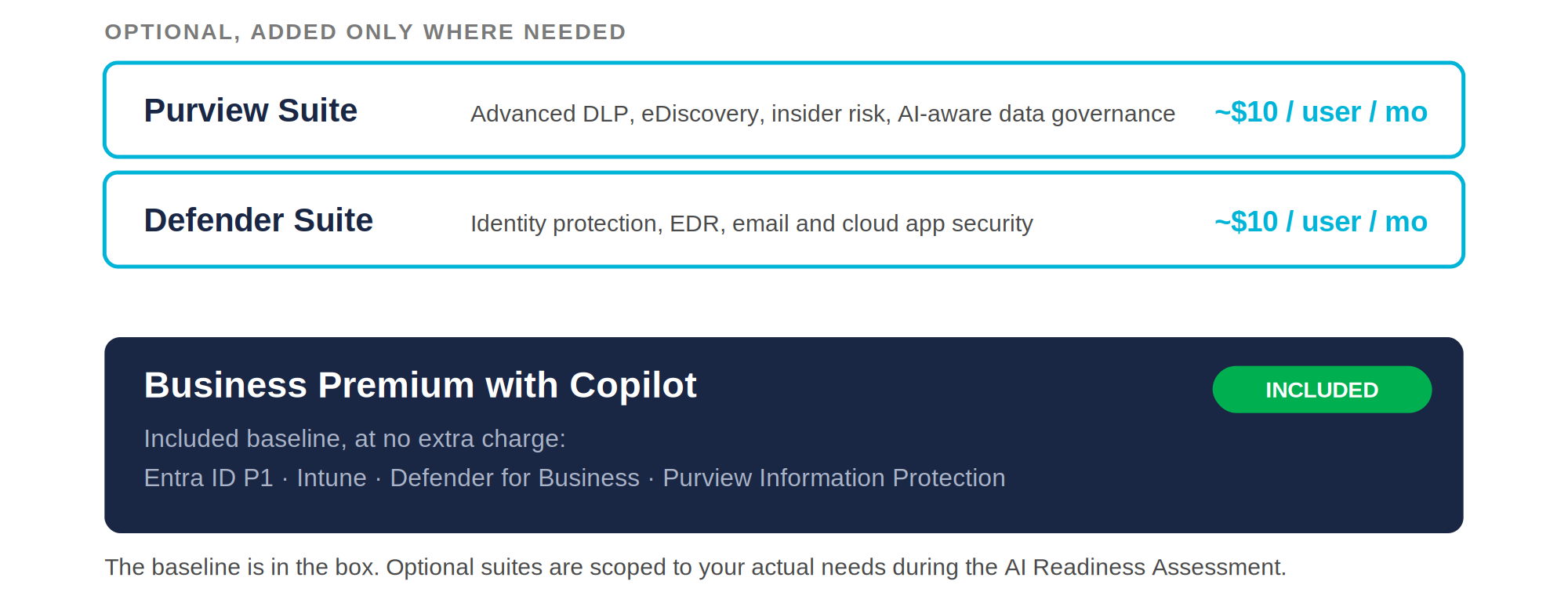
None of these are mandatory, and there is no reason to buy protection you will not use. The point of naming them is so the full cost is on the table before you commit, not after.
Do the boring part first
If you take one thing from all of this, make it this: spend a day on your permissions before you spend a dollar on licenses.
The industry calls the first step an AI Readiness Assessment, which is a slightly formal name for a straightforward idea. Before Copilot goes live, you look at who can reach what, clean up the oversharing, label the sensitive material, and confirm you are putting the right licenses on the right people. It is the pre-flight check, and Microsoft is telling its own partners to run exactly this kind of check alongside every rollout.
The path that works looks like this:
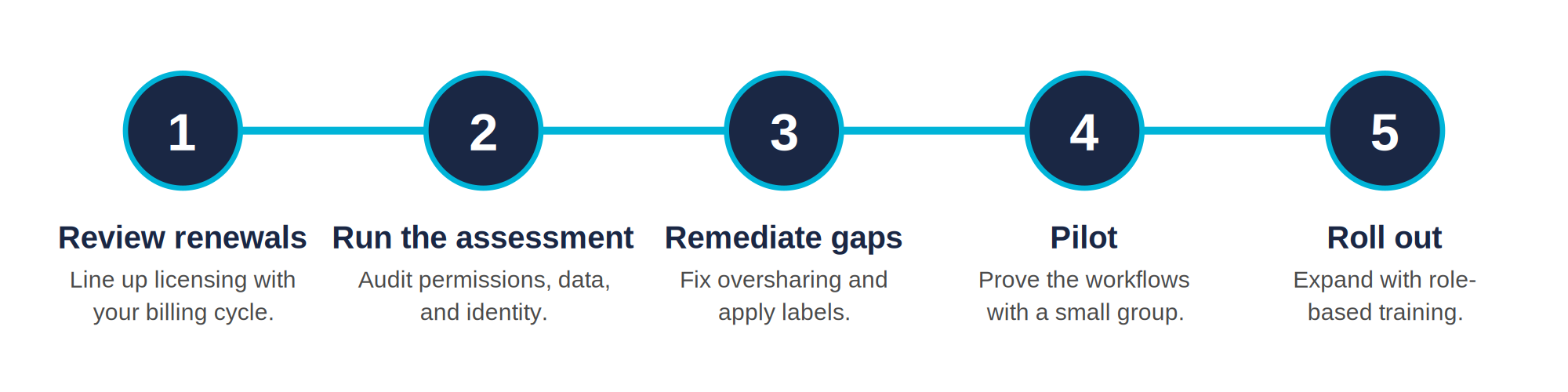
- Review your renewals so licensing decisions line up with your billing cycle.
- Run the readiness assessment across permissions, data, and identity.
- Fix what it finds. Close the oversharing, apply the labels, tighten access.
- Pilot with a small group to prove the workflows that matter to your business.
- Roll out wider with short, role-based training so the licenses you pay for actually get used.
Copilot is a genuinely useful tool, and having it built into the subscription you already pay for lowers the barrier to almost nothing. That is worth taking advantage of. Just do the unglamorous part first, so what you turn on is an asset and not a liability.
For a decision framework you can hand to a CFO, see the AI Vendor Evaluation Scorecard. For the broader executive playbook, The AI Owner's Manual walks through the same "boring part first" principle across every AI tool a business owner is likely to deploy.