

The Critical Need for Application-Layer Protection
With over 70% of modern attacks targeting the web application layer, traditional network security measures fall short. SQL injection, cross-site scripting, and brute-force login attempts exploit vulnerabilities at the application level—often without detection until significant damage occurs.

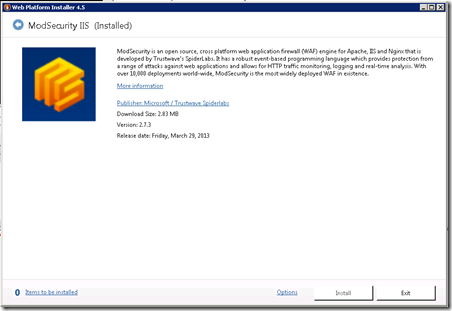
ModSecurity, an open-source web application firewall originally designed for Apache servers, now provides stable protection for IIS 7.X and above. This solution offers real-time HTTP traffic monitoring, attack detection, and immediate protection deployment—capabilities essential for today's threat landscape.
Strategic Value of ModSecurity Implementation
ModSecurity addresses critical security gaps by providing:
- Immediate threat response: Deploy new protection rules in minutes versus weeks required for application patches
- Comprehensive logging: Full HTTP request and response visibility for forensic analysis
- Anomaly detection: Identification of unusual behavior patterns beyond signature-based attacks
- Bridge protection: Security coverage during application update and testing cycles
Pre-Installation Requirements
Before deploying ModSecurity through Microsoft's Web Platform Installer, ensure proper foundation:
Visual Studio 2010 Runtime Libraries
Install the appropriate runtime based on your server architecture:
- 32-bit OS: Install 32-bit runtime only
- 64-bit OS (64-bit pools only): Install 64-bit runtime only
- 64-bit OS (mixed pools): Install both 32-bit and 64-bit runtimes
Wireless LAN Service Dependency
During testing, I encountered a missing dependency on "Wlanapi.dll". Resolve this by installing the Wireless LAN Service:
- Open Server Manager
- Select Features → Add Feature
- Select Wireless LAN Service
- Complete installation and restart
Installation Process
Follow this sequence to avoid common deployment issues:
- Install Visual Studio 2010 runtimes
- Install Wireless LAN Service if encountering 503 errors
- Deploy ModSecurity through Web Platform Installer
- Verify website functionality post-installation
- Check application logs for successful ModSecurity loading
Maintain rollback capability by preserving your applicationhost.config file. Recovery options include removing ModSecurity entries or restoring from c:\inetpub\history backup.
Initial Configuration Strategy
Detection-Only Mode Setup
Configure ModSecurity for monitoring without disruption by editing modsecurity.conf in c:\inetpub\wwwroot\owasp_crs\:
SecRuleEngine DetectionOnly
This approach allows rule tuning and false positive identification before enforcement activation.
Test Rule Implementation
Verify functionality with a simple test rule:
SecRule ARGS, "zzz" phase:1,log,deny,status:503,id:1
Add this rule to modsecurity.conf bottom, ensuring file permissions allow modification during editing but restore read-only status afterward.
Website Integration
Enable ModSecurity by modifying your website's web.config:
<ModSecurity enabled="true"
   configFile="c:\inetpub\wwwroot\owasp_crs\modsecurity_iis.conf" />
Place this within the existing <system.webServer> section. Changes take effect immediately without service restart.
Operational Tuning
False Positive Management
Common false positives include ScriptResource.axd for AJAX functionality. Address by editing "modsecurity_crs_10_setup.conf" and removing .axd/ from problematic rules.
Each ruleset modification requires application pool recycling for activation.
Monitoring and Validation
ModSecurity logs to Windows Event Log. Test rule verification produces entries like:
[client IP:port] ModSecurity: Warning. Pattern match "zzz" at ARGS:a. [file path] [line number] [id "1"] [hostname] [uri] [unique_id]
Strategic Implementation Timeline
Optimal deployment follows this timeline:
- Phase 1: Deploy in detection-only mode
- Phase 2: Monitor for 5-7 days, identifying false positives
- Phase 3: Tune ruleset based on operational patterns
- Phase 4: Activate enforcement mode
- Phase 5: Ongoing rule updates for emerging threats
Why This Still Matters Today
While this 2013 implementation focused on IIS 7.X, the fundamental principles remain relevant for modern web application firewall deployments. The methodical approach to testing, tuning, and gradual activation applies across platforms and technologies.
Organizations continue facing the same core challenge: balancing security protection with operational continuity. The detection-first methodology demonstrated here provides a template for any WAF implementation, ensuring security teams can validate protection effectiveness before risking service disruption.
As application architectures evolve, the need for application-layer security grows more critical. Whether implementing ModSecurity, cloud-native WAF solutions, or next-generation application security platforms, the strategic approach outlined here—careful preparation, methodical testing, and operational validation—remains the foundation for successful security deployments.