Tidbits and thoughts on webhosting, web applications and just general cool geek crap.
1 Feb
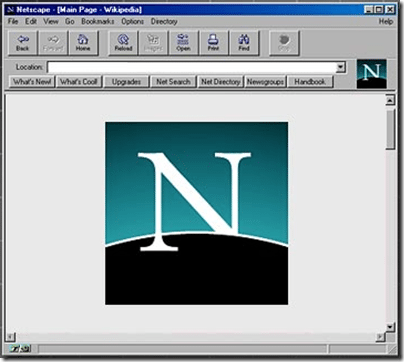
It was announced back in December that Netscape would be officially no longer supported as of February 1st 2008, for many they see it as just another forgotten software program but for many others it was much more than that. For me, Netscape is part of the events that got me hooked on the Internet and that eventually led to the start of Applied Innovations (it seems fitting that in the same month Netscape retires, AppliedI turns 9).
In 1994, I was just starting a career in Electrical Engineering at Motorola and had been using the Internet via gopher, FTP and USENET for a while already. I had been using NCSA’s Mosaic browser and HTTP Daemon running on SunOS and already building webpages and applications around it. NCSA’s tools were nice but simply unpolished. Then I read this USENET posting:
Mosaic Communications Corporation is a making a public version of Mosaic Netscape 0.9 Beta available for anonymous FTP. Mosaic Netscape is a built-from-scratch Internet navigator featuring performance optimized for 14.4 modems, native JPEG support, and more.
You can FTP Mosaic Netscape 0.9 Beta from the following locations:
ftp.mcom.com in /netscape
gatekeeper.dec.com in /pub/net/infosys/Mosaic-Comm
lark.cc.ukans.edu in /Netscape
ftp.meer.net in /Netscape
doc.ic.ac.uk in /packages/Netscape
archie.au in /pub/misc/netscape
ftp.cica.indiana.edu in /pub/pc/win3/winsock/nscape09.zip (PC only)
mac.archive.umich.edu in /mac (Mac only)Please make sure to read the README and LICENSE files.
An up-to-date listing of mirror sites can be obtained at any time
by sending email to rele…@mcom.com.Subject to the timing and results of this beta cycle, Mosaic Communications will release Mosaic Netscape 1.0, also available free for personal use via the Internet. It will be subject to license terms; please review them when and if you obtain Mosaic Netscape 1.0.
A commercial version of Mosaic Netscape 1.0, including technical support from Mosaic Communications, will be available upon completion of the beta cycle. Contact us at i…@mcom.com for more information.
Have fun!
Marc and the gang
i…@mcom.com, http://mosaic.mcom.com/
That post was dated October 13th 1994, 8:51am and the archived message pulled from google groups.
I quickly downloaded, installed and was AMAZED by this new web browser and I wasn’t alone. Here’s a few of the follow up posts from USENET that give you an idea of just how the Internet community accepted the Netscape Beta back then:
As blown away as you may have been by seeing the original Mosaic
for the first time, Netscape is even more impressive.Besides being faster, easier to use and more rubust than Mosaic,
it elegantly handles news and mail.It’s terribly, terrible impressive.
Looks great so far! (Windows version.)
- Transparent GIFs are nice!
- Delayed inline-image loading a-la MacMosaic.
- Scrollbars on TextAreas
- Copy to clipboard from text.
- Multiple windows a-la XMosaic.
- THREADED news!- AND…I’m POSTING this from Netscape!
Cool!
Let’s think of some of the things Netscape did that helped change the Internet:
For many the passing of Netscape is just another antiquated piece of software taking it’s place in history but it’s much more than that and because of all it’s done and changed for myself, my company, and society as a whole, I say raise your cup of coffee this morning and give thanks to Andreessen and the guys that started Mosaic Communications Corporation and released that very first beta version of Netscape, they truly changed our world!
(image from Peter Coffee’s 24 Killer Apps of All Time).
20 Feb
I stumbled on this the other day looking over a web forum and thought it was a pretty neat ‘gadget’. I don’t know how useful it is but I’m all for cool.
Using snap.com’s Snap Preview feature and the wordpress plug-in snap preview anywhere.
You’ll see a little icon:
If you mouse over the link or the icon next to one of my links a little popup thumbnail of the website linked to will come up, then of course you can click on the link or the thumbnail to redirect to the website.
Useful? you ask. I don’t know. But cool, oh yeah!
20 Feb
Do you know how to write blog articles in Japanese? I do!
Do you know how to write blog articles in Chinese? I do!
How about Arabic? Can you write in Arabic? I can!
Okay so maybe I don’t really know how to write in all these different language. In fact, if you’ve read my blog at all you know I can hardly write in english. Last night while doing the great blog makeover of 2007, I stumbled upon a translation script, that’s free. Previously I contemplated purchasing one that did this slightly better, but you can’t beat FREE! FREE! FREE!
Translate is a wordpress widget plugin written by 18 yr old Trevor Creech of Canada. Canada, eh?
To add this tool. I simply uploaded the widgets, activated the plugin and dragged and dropped the translate option to the widget sidebar. Done deal!
You now have a cool little graphics array of flags:
and you just click on the country flag to change languages. I have to say this is fantastic. I often find plugins or source code for projects where the authors native language is not english and his english is actually worse than mine (though you have to give them credit, they speak more languages than me). Sure these automatic translation tools are hit or miss sometimes replacing words like hoster with waiter and such but still it gets the general idea across a little better usually.
This wordpress plugin is well worth taking the time to check it out.
16 Oct
Blogsvertise.com is a pretty interesting concept. You pay bloggers to write permanent blog articles about a page/product on your site. These articles get distributed, spidered and links all over and you get instant link love. What’s this mean? Hrm how about Increased PageRank, Trust, Brand Recognition and oh yes LINK LOVE BABY!
Let’s face it blogs are here to express personal opinions, provide a means of sharing your views, experiences and knowledge and ofcourse getting search engine placement for your websites and products. I’ve been testing out blogsvertise this weekend and I have to admit “I’m loving it”. The articles written so far are creative and very nicely done (not like the crap you find on my blog).
What’s the cost? Just $20! Yeap for 20 bucks you can head over to the link-love pimps and get some luvin’ Give it a try: www.blogsvertise.com
22 Aug
This is a test post from within Windows Live Editor. Windows Live Editor is Microsoft’s new swiss army knife of blog editors. It’s actually really impressive. It supports several different types of blogs including Community Server and Wordpress, as well as the popular blogging services. Really won’t go into that because there’s plenty of posts on the internet already related to this.
One of the nice things is that it ties directly into IE6 and provides a pretty comprehensive toolbar within IE6, including such features as
It also provides a “blog on this page” feature that allows you to blog an article related to the webpage you’re currently on. This is probably the coolest time saver of all (unfortunately, I’m using FireFox these days so it doesn’t save alot of time for me..)
What I like the most is that I can blog from within a nice WYSIWYG editor without mucking up my wordpress plug-ins that aren’t compatible with WYSIWYG editors.
For more details on Windows Live Editor check it out at:
http://windowslivewriter.spaces.live.com/
I’ll want to add that the view in the editor is identical to the view in your browser as posted to the blog. This is true for both community server and wordpress as I tested this prior to switching out of community server and into wordpress. It’s dead on in fact, even better than the WYSIWYG editors in wordpress.
It also supports uploading and scaling images to your blog making it easier to publish images in your blog entries so one of my next posts will hopefully be all cool and stuff with images like kewl guys and grrls..
One downside though, it seems to add some serious overhead to IE6 and atleast for me crashes the crap out of it.
Okay one more addition. The past couple paragraphs were added after the post was added to the blog. I realized I wanted to see what would happen if I edited the posting and added more information after the post was posted and it just let me add it without any problems. Now that’s damn cool.